Say what you
mean.
More clarity. Less guessing.
Liaison Reply drafts replies for the messages you’re stuck on, and coaches you live while you edit them. Screenshot the message, pick the relationship context, edit the drafts, send them yourself. Built for the hard ones: your manager, a client, someone you’re dating, family.
Start Free Try a DemoStart free. No card. Try a real scenario in your browser; the demo stays local until you take the prefilled scenario into the app.
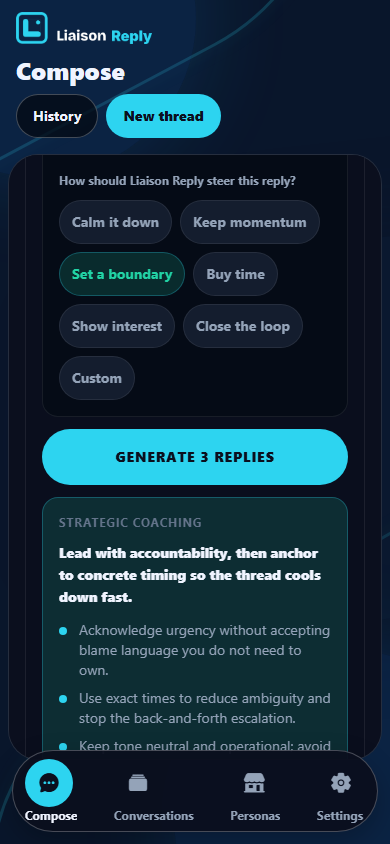
The moment
Some messages stop you cold.
You should answer. You just don’t know what to say, and the wrong words will cost you. Liaison Reply is built for that moment.
How it works
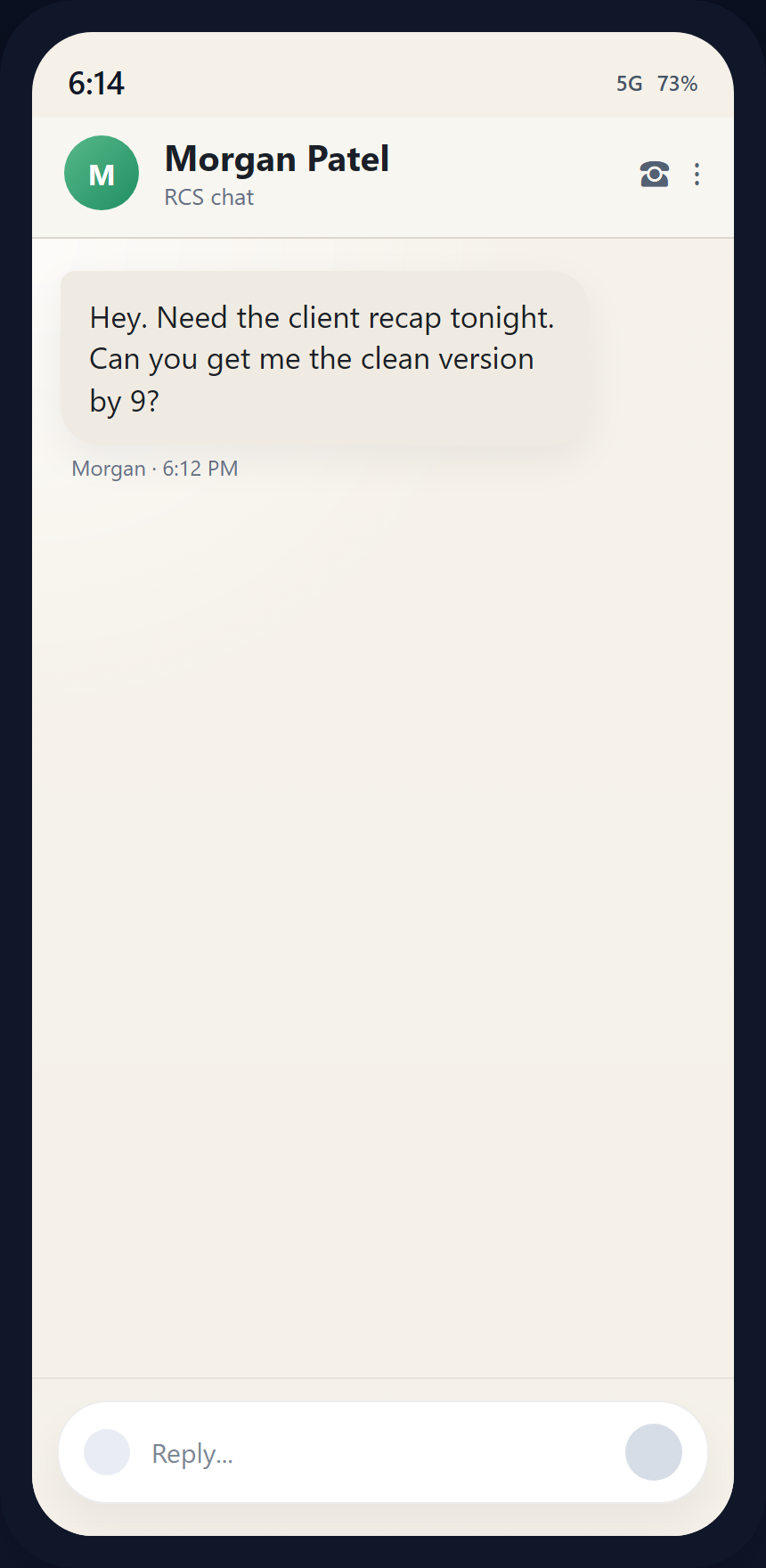
Drop in the message
Paste the text, or upload a screenshot and Liaison Reply reads the conversation in. Start from the exact message you don’t know how to answer.
Add your side, set the direction
Add the facts the thread doesn’t show, and pick who they are to you. Then set the direction: calm it down, set a boundary, buy time, close the loop, or your own steer.
Edit with coaching, then copy
Pick a draft and edit it with live strategic coaching. Aligned means your edits still track the strategy. Caution flags a line that sounds defensive. Warning flags a line that could damage it. Copy the final wording yourself. Liaison Reply never sends anything for you.
Step 1 · Drop in the message
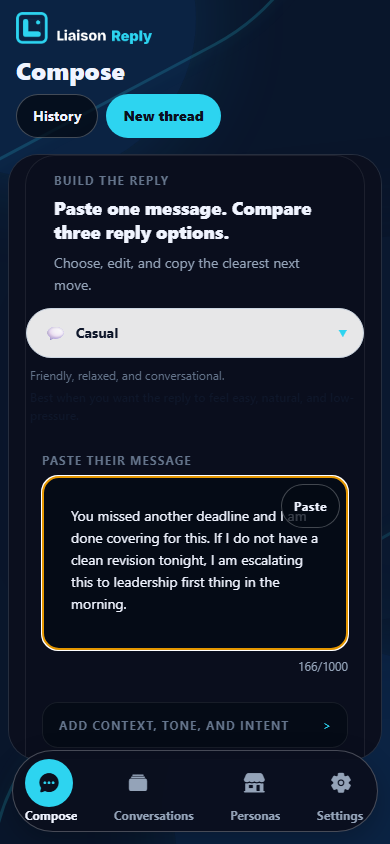
Step 2 · Add your side, set the direction
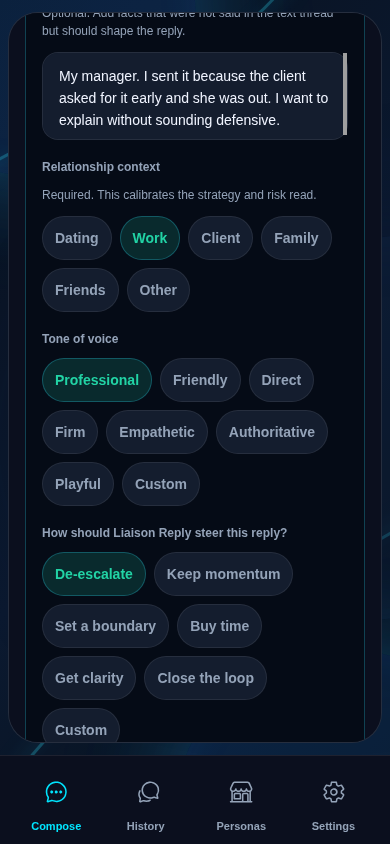
Step 3 · Edit with coaching, then copy
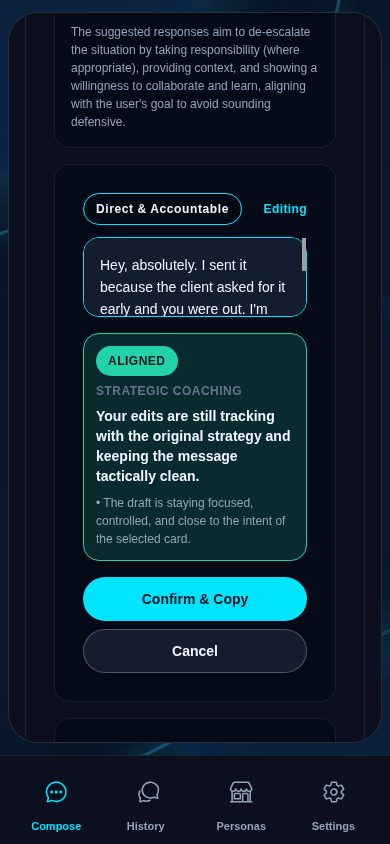
Aligned
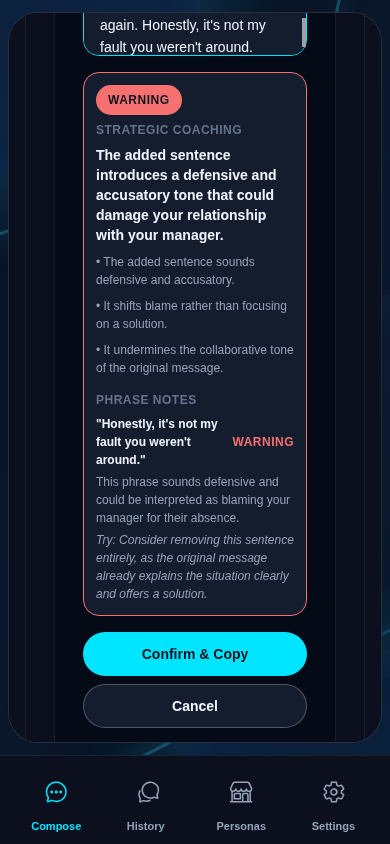
Warning
See it work
One hard message. Three ways to answer it.
One moment, the whole way through: the message, the read on the room, three ways to answer, and coaching while you edit.
“Wow. Okay. So you saw my message at 9 and just decided not to answer. Good to know where I stand.”
This is hurt dressed as a verdict. They have already decided what your silence meant, so a bare excuse confirms it. The move is to own the miss without over-explaining, and reopen the conversation tonight.
- • Do not lead with the reason. Lead with the miss.
- • End on an invitation, not a defense.
“You’re right to call that out. I saw it while driving, and it slipped my mind. That’s on me. Can we reset tonight?”
“You do matter to me. I hate that you felt ignored today. Work swallowed me and I shut down. Tell me what you needed. I’m here now.”
“I get that you’re frustrated, but I can’t always answer the minute a message lands. I’m not okay with being scored on response time.”
“You’re right to call that out. I saw it while driving, and it slipped my mind. That’s on me. I can’t be on my phone every second, though. Can we reset tonight?”
Strategic coaching
The added sentence turns an apology into an argument about phone rules.
- • It answers the accusation instead of the hurt underneath it.
- • It invites a reply about response times, not the reset you asked for.
Phrase notes
“I can’t be on my phone every second, though.” Warning
It can be read as a counter-accusation, as if they were wrong to expect a reply.
Try: Consider removing this sentence entirely. The draft already owns the miss, and the invitation lands better without the defense.
The same app, on the web.
Open it in any browser. The full drafting flow is right there, no install needed.

Liaison Reply on the web, at app.liaisonreply.com
Then polish it until it sounds like you.
Every draft can be rewritten, tightened, or softened. You approve the final words. Nothing sends itself.
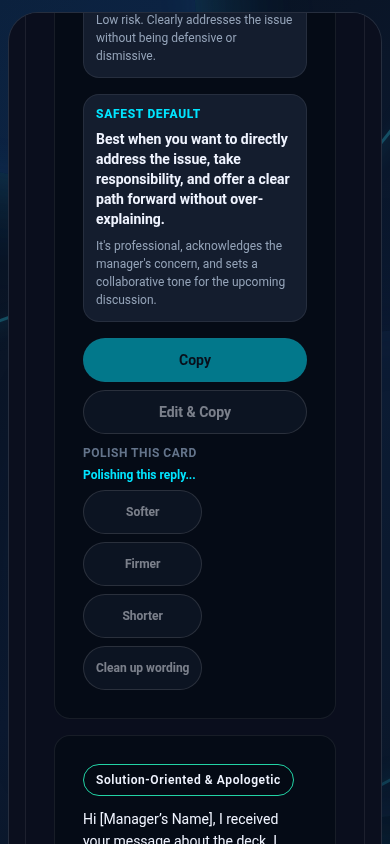
Polishing
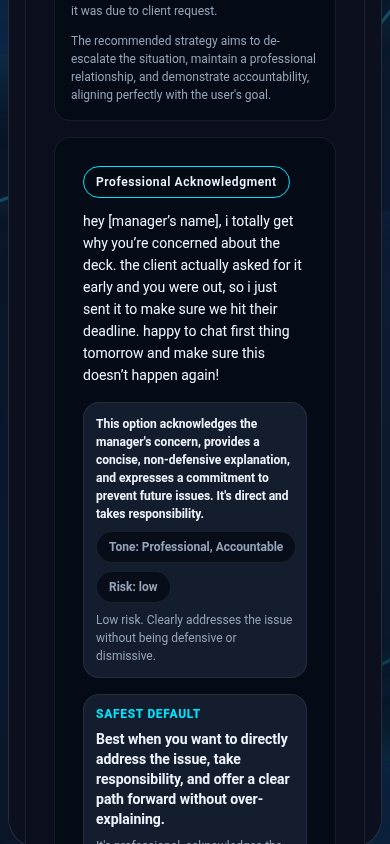
Polished, and ready
Watch it happen
Watch a hard reply come together.
This is the live app, not a mockup. A hard message comes in, Liaison Reply drafts the replies, coaching checks your edit against what you meant, and you copy the one that fits. You send it yourself, from your own app.
Interactive demo
From message in to message out.
Try it right here, in your browser. Pick a situation that sounds familiar, choose a voice, pick a direction, and see replies you could actually send. Like one? Open the same scenario in the app and make it yours. This preview is free and never uses your credits.
Add screenshots. We rebuild the thread, reading them on this device where possible, or through our secure reading service, which doesn't store them.
Required. This calibrates the strategy and risk read.
Strategic coaching
Your edits are still tracking with the original strategy and keeping the message tactically clean.
- The draft is staying focused, controlled, and close to the intent of the selected card.
Your past conversations. Every thread keeps its full history, so drafts know what was said last week, not just the last message.
Some situations span conversations. Link the threads and Pro drafts draw on all of them.
Personas set the voice your drafts are written in. Free includes 5 tries a day for premium personas; Pro includes continued access.
Applied
Style Notes teach Liaison to write replies that sound like you.
Verified referrals add bonus credits after a friend verifies their email.
Free. Credits included.See Pro
support@liaisonreply.com›
Sample conversation. In the app, your own message, context, and edits drive the replies.
Try this work scenarioWhat it does, and what it doesn’t
What it does
- Reads the whole conversation from a screenshot or pasted text, and drafts three reply options.
- Strategic coaching while you edit, flagging wording that could land wrong.
- Polishes your own draft when you have the words but not the wording.
- Tunes the drafts to the relationship context and the writing persona you select.
- Your threads are private to you. Only you can read, edit, or delete them.
- Your free credits are included. The app shows your remaining credits live.
What it doesn’t do
- It never sends for you. You copy the reply you pick and send it yourself.
- It reads nothing until you share a screenshot or paste the text in.
- It never asks for access to your inbox, your contacts, or your messaging accounts.
- Not a chatbot. A drafting tool for messages you already received.
- It doesn’t store your screenshots. They are read on your device where possible, or through our secure reading service, which doesn’t keep them.
- It doesn’t lock coaching behind Pro. Strategic coaching is free on every plan.
Memory
The conversation does not reset.
Every thread keeps its history, so drafts know what was said last week, not just the last message.
- Full thread memory. Your conversations stay whole in History, ready to pick up where you left off.
- Pro threads are never summarized down. On Pro, the full history stays intact however long the thread runs, so nothing gets flattened into a summary.
- Linked threads. Some situations span conversations: the same problem with your partner, your manager, your client. Link the threads and Pro drafts draw on all of them.

The Link Conversations panel, where related threads are joined.

Strategic coaching
Strategic coaching reads the thread with you.
Drafts are the words. Strategic coaching is the read behind them: a panel beside your drafts showing what the other person is really saying, what to lead with, and what to leave out.
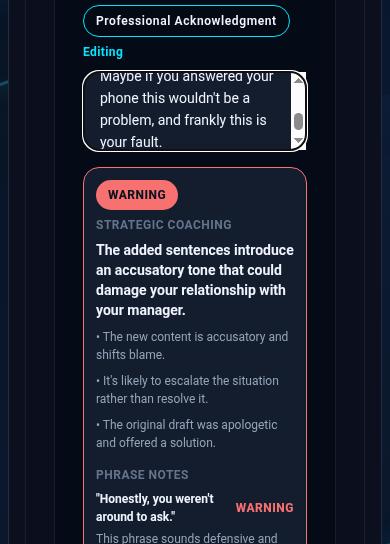
The strategic coaching panel, up close
Liaison Reply Pro
What Pro adds
Free gives you the full drafting loop, with free credits on us. Pro removes the limits and adds the deeper tools.
- Unlimited generations for normal use. Subject to fair-use protections.
- All premium personas. Every writing persona, including the premium set.
- Full conversation memory. Never summarized down. The whole thread stays in play.
- Linked threads. Pro drafts draw on every connected conversation, so the reply fits the whole situation.
- 12 rewrites per reply. Keep refining until it sounds like you on your best day.
- Unlimited voice dictation. Talk instead of typing, as much as you want.
Pricing
Pro Monthly
- Unlimited generations for normal use, subject to fair-use protections.
- Full memory, linked threads, all premium personas.
- Billed monthly through Stripe Checkout.
Pro Annual
- Unlimited generations for normal use, subject to fair-use protections.
- Full memory, linked threads, all premium personas.
- Billed once a year through Stripe Checkout. Save 17% versus monthly.
Cancel anytime from your Stripe billing page. It takes effect at the end of your current billing period. Charged in the last 14 days? Email support@liaisonreply.com for a full refund, no questions asked. After 14 days, amounts paid are non-refundable unless the law requires otherwise.
Full pricing details: Free vs Pro, referral credits, and FAQ
Questions before you start
No. You share a screenshot of a message, get reply options, edit if you want, and copy the one you pick into your real conversation.
Unlimited generations for normal use, subject to fair-use protections, full memory that is never summarized, linked threads, all premium personas, 12 rewrites per reply, unlimited voice dictation. $7.99 a month or $79.99 a year through Stripe, cancel anytime.
Through your Stripe billing page, anytime. Your cancellation takes effect at the end of the current billing period.
Yes. Charged in the last 14 days? Email support@liaisonreply.com and we refund that charge in full, no questions asked. After 14 days, amounts paid are non-refundable unless the law requires otherwise. See the Terms for details.
In your browser at app.liaisonreply.com. No install or inbox access is required.
Say what you mean.
Start free. No app download, it runs in your browser.
Start FreeNot ready to start today?
Leave your email for product updates. Occasional and useful, no spam. The app is live whenever you are, and free credits are included.